Easy Anti-Cheat "not installed" and error 30005: repair the failing game's copy
Easy Anti-Cheat shows "not installed" or error 30005 (CreateService failed). The key: every game ships its own copy of EAC, so you repair the copy of the game that fails. Where the installer is, what each message means and how to fix it, including a disabled service and antivirus.
Go to the failing game's folder, open EasyAntiCheat and run EasyAntiCheat_EOS_Setup.exe (or EasyAntiCheat_Setup.exe). Pick the game and click Repair Service. Restart the PC and launch the game from its launcher (Steam, Epic…), not from a shortcut to the .exe.
What hardly anyone explains: one copy per game
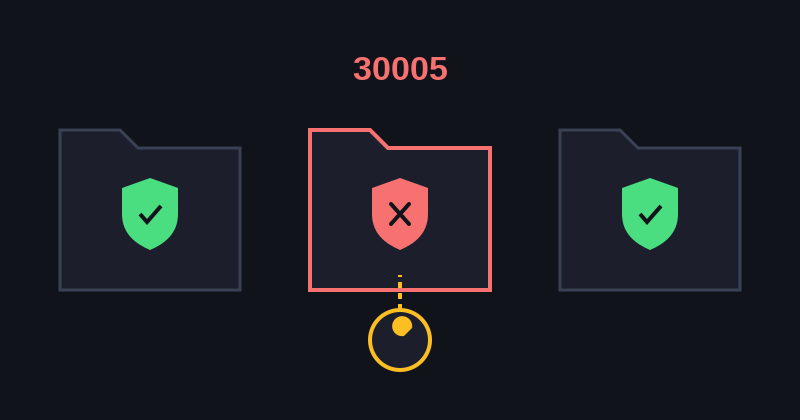
That's why Fortnite can work while another EAC game doesn't. Repairing from a different game's folder fixes nothing.
What each message tells you
| Message | What's happening | Go to |
|---|---|---|
| "Easy Anti-Cheat is not installed" | That game's service isn't registered | Step 1 |
| Error 30005 "CreateService failed" | Windows won't create or start the service (often antivirus or an old blocked service) | Steps 1, 3 and 4 |
| Error 30005 "StartService failed 1450 / 577" | A service file is damaged or blocked | Steps 2 and 3 |
| "Untrusted system file" | A Windows or game file fails the check | Step 2 and Windows check |
Step 1: repair the failing game's copy
- In Steam: right-click the game → Manage → Browse local files. In Epic: three dots → Manage → folder icon.
- Open the EasyAntiCheat folder and run EasyAntiCheat_EOS_Setup.exe (older games: EasyAntiCheat_Setup.exe).
- Pick the game from the list and click Repair Service. If it says "Install", click Install.
- Restart the PC: the service doesn't load properly until you do.
- Launch the game from its launcher. A shortcut to the .exe skips EAC.
Step 2: verify the game files
Steam: Properties → Installed Files → Verify integrity. Epic: three dots → Manage → Verify. If you get "Untrusted system file" with a Windows file, run sfc /scannow in Command Prompt as administrator.
Step 3: antivirus
- Check your antivirus quarantine for anything EasyAntiCheat and restore it.
- Add the game folder to exclusions and go back to Step 1.
- In Windows Security, if Controlled folder access is on, allow the game's .exe.
Step 4: the service must not be disabled
- Windows + R →
services.msc. - Find EasyAntiCheat_EOS (or EasyAntiCheat). Double-click.
- If startup type is Disabled, change it to Manual. Automatic isn't needed: the game starts it when required.
Windows "optimisers" often disable this service. If you used one, check other services it touched too.
If the installer won't open
Open Command Prompt as administrator in the game's EasyAntiCheat folder and run EasyAntiCheat_EOS_Setup.exe install followed by the game's ID (found in that folder's Settings.json file as "productid"). Then restart.
If the game also shows DLL errors when opening, install the Visual C++ runtimes: see msvcp140.dll missing. If Fortnite just can't find a match, see Fortnite matchmaking error.
Frequently asked questions
Can I get banned for repairing EAC?
No. Repairing or reinstalling with the game's own installer is normal. The risk is deleting anti-cheat files by hand or using tools that "disable" it.
Can I uninstall EAC for good?
Yes, but games that use it won't open. If you have none left, remove it from its installer or from Apps.
Why does it fail in one game but not another?
Because each game has its own copy. You need to repair the failing game's one.
If you get a 30005 code with a number not in the table, send it to us via the contact page.
Still not fixed?
Email us at glitchfixesp@gmail.com with your device model, the exact error message and what you have already tried from this guide. We reply personally (in English or Spanish) and, if the issue keeps coming up, we add the new fix to the guide.