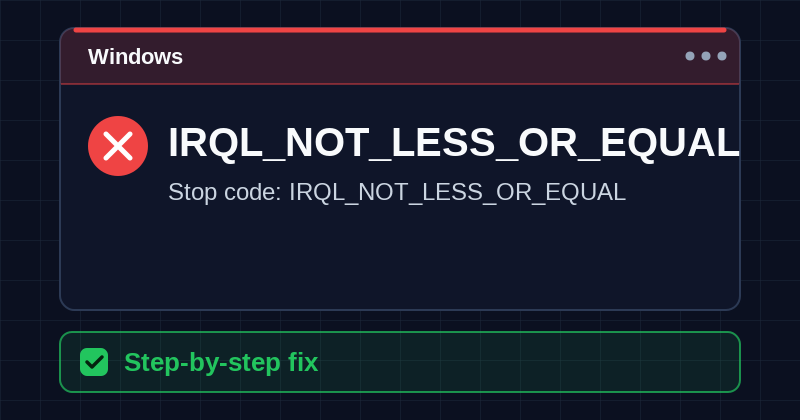
IRQL_NOT_LESS_OR_EQUAL: the driver's name gives you the fix
Blue screen IRQL_NOT_LESS_OR_EQUAL? It's almost always caused by a driver. How to pull its name from the dump with BlueScreenView or WhoCrashed, a table of common .sys files and their program, and what to do if none shows up.
Open the dumps in C:\Windows\Minidump with BlueScreenView or WhoCrashed and find the flagged .sys file. Look up which program it belongs to in the table below and update it, roll it back or uninstall it. If only ntoskrnl.exe appears, test the RAM and remove any overclock.
What it means
A driver (a program that talks directly to hardware) tried to read or write memory at a moment when it wasn't allowed to. Windows stops dead with a blue screen so nothing gets corrupted. That's why the key is knowing which driver it was.
Get the culprit's name
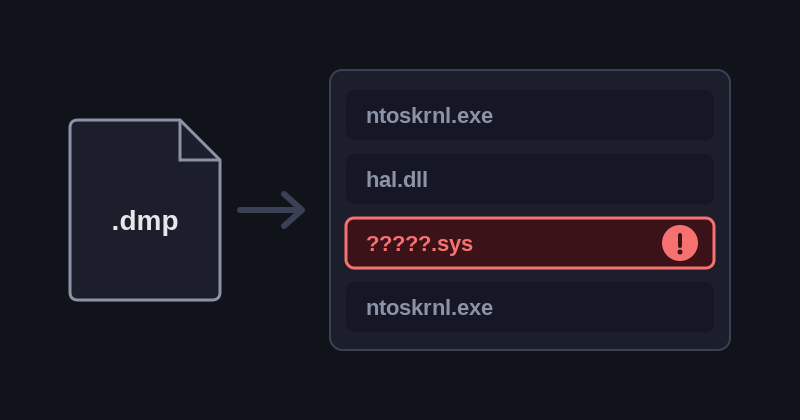
- Check the blue screen itself first: sometimes it says "What failed: xxx.sys".
- If not, install BlueScreenView or WhoCrashed (free). They read
C:\Windows\Minidumpand show the driver involved in each crash. - If the same .sys repeats across several crashes, that's almost certainly the culprit.
If there are no dumps, the general guide explains how to enable them and read the code.
Common .sys files and what to do
| File | Belongs to… | What to do |
|---|---|---|
| netwtw*.sys, rtwlane*.sys, athw*.sys, mtkwl*.sys | Wi-Fi card (Intel, Realtek, Qualcomm, MediaTek) | Wi-Fi driver from the laptop or card maker. If it started after an update, go back to the previous one |
| rt640x64.sys, e1d*.sys, e2f*.sys | Wired network card (Realtek, Intel) | LAN driver from the motherboard maker |
| nvlddmkm.sys, amdkmdag.sys, igdkmd*.sys | NVIDIA, AMD or Intel graphics | Clean reinstall with DDU |
| Third-party antivirus files | Antivirus (Avast, AVG, McAfee, Norton…) | Uninstall it with its official removal tool and test with just Microsoft Defender |
| Anti-cheat or RGB drivers | Games, lighting or monitoring software | Update or uninstall the program; test without it |
| Only ntoskrnl.exe or hal.dll | The Windows kernel (not the real culprit) | See "If no driver shows up" |
If no driver shows up
- Remove overclock and XMP/EXPO (BIOS → defaults) and test for a few days.
- Test the RAM with MemTest86 (see our MEMORY_MANAGEMENT guide).
- Repair Windows:
DISM /Online /Cleanup-Image /RestoreHealthandsfc /scannow. - Unplug unusual peripherals (capture cards, odd USB adapters, generic controllers) and reconnect them one by one.
- Update BIOS and chipset from the motherboard maker's site.
Frequently asked questions
Why did it start after a Windows update?
Windows Update sometimes installs driver versions that misbehave on a particular PC. Roll the driver back in Device Manager → Properties → Driver → Roll Back.
Is it the same as DRIVER_IRQL_NOT_LESS_OR_EQUAL?
Almost, and that one usually names the .sys on the blue screen itself. The steps are the same.
Could it be a virus?
Rarely. It's far more often a legitimate driver with a bug. Still, a full Defender scan doesn't hurt.
If you don't know which program your .sys belongs to, send us its name via the contact page.
Still not fixed?
Email us at glitchfixesp@gmail.com with your device model, the exact error message and what you have already tried from this guide. We reply personally (in English or Spanish) and, if the issue keeps coming up, we add the new fix to the guide.