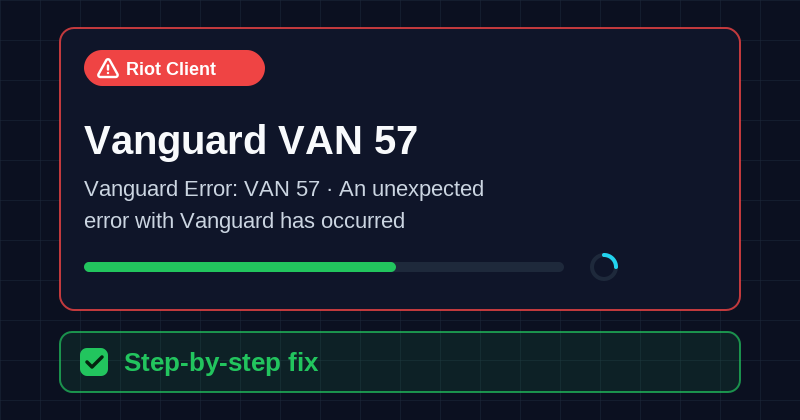
Vanguard VAN 57: the problem is at boot
VAN 57 appears when Vanguard's driver didn't load when the PC started. The 4-step boot sequence explained, how to check the vgc service, do a clean Vanguard reinstall and use a clean boot to find the program blocking it.
VAN 57 means Vanguard didn't load when Windows started. Do a Restart (not "Shut down", which with Fast Startup doesn't reload drivers). If it persists, set the vgc service to Automatic, uninstall Riot Vanguard from Apps, restart and open the game so it reinstalls it.
How Vanguard starts (and where it breaks)
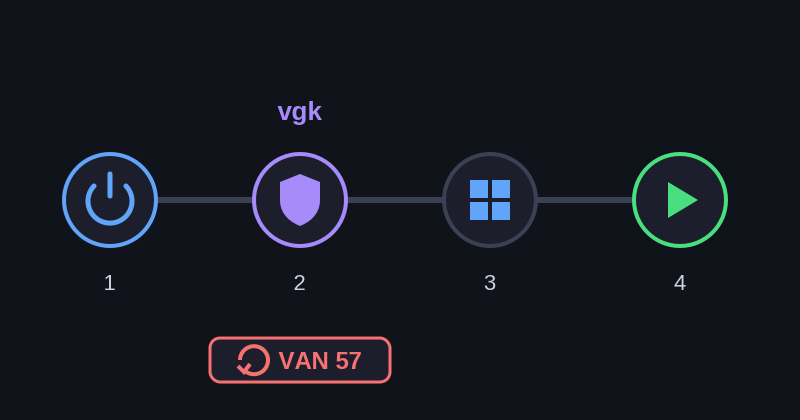
Vanguard has two parts: vgk, a driver that loads at step 2, and vgc, a service that talks to the game. If vgk didn't load at boot, it can't load later: that's why closing and reopening the game doesn't work and you must restart.
Fix 1: a real restart
- Use Start → Power → Restart. "Shut down" with Fast Startup on leaves Windows half-hibernated and doesn't reload drivers.
- If you usually shut down, turn Fast Startup off: Control Panel → Power Options → Choose what the power buttons do → Change settings that are currently unavailable → untick Turn on fast startup.
Fix 2: the vgc service
- Press Windows + R and type
services.msc. - Find vgc, double-click, Startup type: Automatic, OK.
- Restart the PC.
Fix 3: clean Vanguard reinstall

- Close the Riot Client and games.
- Settings → Apps → Installed apps → Riot Vanguard → Uninstall.
- Restart the PC.
- Open League of Legends or Valorant: the client reinstalls Vanguard and asks you to restart again. Do it.
Fix 4: clean boot to find the culprit
Some programs load their own drivers and clash with vgk: RGB tools, fan controllers, overclocking utilities, third-party antivirus or old cheat software.
- Windows + R →
msconfig→ Services tab → tick Hide all Microsoft services → Disable all. - Re-enable only vgc.
- In Task Manager, Startup tab, disable everything.
- Restart and open the game. If it works, re-enable programs a few at a time until you find the one that breaks it.
If you get VAN 1067 instead of VAN 57 on Windows 11, it's a different problem (TPM and Secure Boot): see VAN 1067. If the Riot Client won't even open properly, see Riot Client black screen.
If nothing works
Open a ticket with Riot support and attach Vanguard's logs from C:\Program Files\Riot Vanguard\Logs. They show which driver is blocking it.
Frequently asked questions
Does VAN 57 mean I'm banned?
No. It means Vanguard isn't working. A penalty shows an account restriction notice.
Can I play without Vanguard?
No. It's required for LoL and Valorant. If you remove it, the client reinstalls it when you open the game.
Why does every update ask me to restart?
Because vgk only loads at power-on. Until you restart, the old version (or none) is running.
If you identify a program that clashes with Vanguard, tell us via the contact page and we'll add it to the guide.
Still not fixed?
Email us at glitchfixesp@gmail.com with your device model, the exact error message and what you have already tried from this guide. We reply personally (in English or Spanish) and, if the issue keeps coming up, we add the new fix to the guide.