Valorant VAN 1067: check 3 lines and enable them
Valorant shows VAN 1067 on Windows 11 when TPM 2.0 or Secure Boot is missing. How to check in 1 minute with msinfo32 what's failing, where to enable it in the BIOS for your board (Intel PTT, AMD fTPM) and what to do if your disk is MBR.
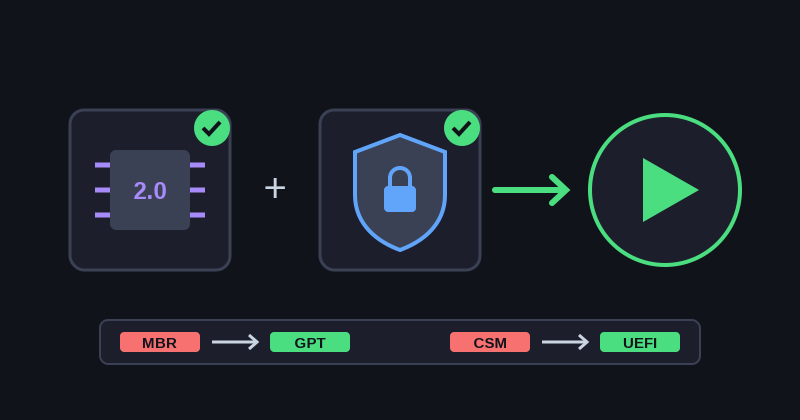
On Windows 11, Valorant only starts with TPM 2.0 and Secure Boot enabled. Press Windows + R, type msinfo32 and check three lines: BIOS Mode (must be UEFI), Secure Boot State (On) and, with tpm.msc, the TPM version (2.0). Anything that isn't right gets switched on in the BIOS.
The 3 lines that decide it
| Where to look | What you see | What it means | What to do |
|---|---|---|---|
msinfo32 → BIOS Mode | UEFI | Good | Nothing |
| Legacy | The PC boots in old mode; Secure Boot can't be enabled | Convert the disk to GPT first (last section), then disable CSM in the BIOS | |
msinfo32 → Secure Boot State | On | Good | Nothing |
| Off | Available but switched off | Enable it in the BIOS | |
| Unsupported | You're in Legacy mode | See the "Legacy" row | |
tpm.msc → Specification Version | 2.0 | Good | Nothing |
| "Compatible TPM cannot be found" | The board's TPM is off | Enable Intel PTT or AMD fTPM in the BIOS |
Where to enable it in the BIOS for your board
To get into the BIOS: Settings → System → Recovery → Advanced startup → Restart now → Troubleshoot → Advanced options → UEFI Firmware Settings. Names vary by manufacturer:

| Manufacturer | TPM | Secure Boot |
|---|---|---|
| ASUS | Advanced → PCH-FW Configuration → PTT (Intel) or AMD fTPM configuration → Firmware TPM | Boot → Secure Boot → OS Type: Windows UEFI mode |
| MSI | Settings → Security → Trusted Computing → Security Device Support: Enable | Settings → Advanced → Windows OS Configuration → Secure Boot |
| Gigabyte | Settings → Miscellaneous → Intel PTT or AMD CPU fTPM | Boot → Secure Boot Enable (with CSM Support disabled) |
| Laptops (HP, Lenovo, Dell, Acer) | Security → TPM / Security Chip | Security or Boot → Secure Boot |
If Secure Boot is greyed out, look for "Key Management" or "Restore Factory Keys" and install the default keys. Save with F10.
If VAN 1067 still shows up
- Make sure the vgc service is set to automatic: Windows + R →
services.msc→ vgc → Startup type: Automatic. - Restart the PC (closing Valorant isn't enough): Vanguard only loads when Windows boots.
- If you get a different VAN code (for example VAN 57), see the Vanguard errors guide.
If your disk is MBR: convert it to GPT without formatting
Back up your important files first. The conversion usually goes fine, but a power cut halfway through can leave the PC unable to boot.
- Open Command Prompt as administrator.
- Type
mbr2gpt /validate /allowFullOS. If validation succeeds, continue. - Type
mbr2gpt /convert /allowFullOS. - Restart, enter the BIOS, disable CSM (or set boot to "UEFI only") and enable Secure Boot.
Frequently asked questions
Why didn't Windows 10 ask for this?
Vanguard only requires TPM 2.0 and Secure Boot on Windows 11. On Windows 10 it works without them.
Does enabling TPM erase anything?
No. It only matters if you use BitLocker: keep your recovery key handy in case it's requested at boot.
What if my processor is very old?
Intel chips before 8th gen and AMD before Ryzen 2000 don't always have TPM 2.0. In that case you need a TPM module for the board, or to stay on Windows 10.
If you can't find the option in your BIOS, tell us your motherboard or laptop model on the contact page.
Still not fixed?
Email us at glitchfixesp@gmail.com with your device model, the exact error message and what you have already tried from this guide. We reply personally (in English or Spanish) and, if the issue keeps coming up, we add the new fix to the guide.