Roblox Error 262: when your upload is what fails
Roblox error 262 ("There was a problem sending data") appears when your connection can't send data to the server. Why a fast download speed isn't enough, how to measure upload and packet loss, and what to change on PC, mobile and router.
262 means Roblox can't send your data to the server. It's almost always your connection's upload: something is filling it (cloud photo backup, a livestream, P2P downloads) or the Wi-Fi is losing packets. Pause uploads, use a cable, turn off your VPN and, if it only happens in one experience, try another server.
Why "I've got 600 Mbps" doesn't help here
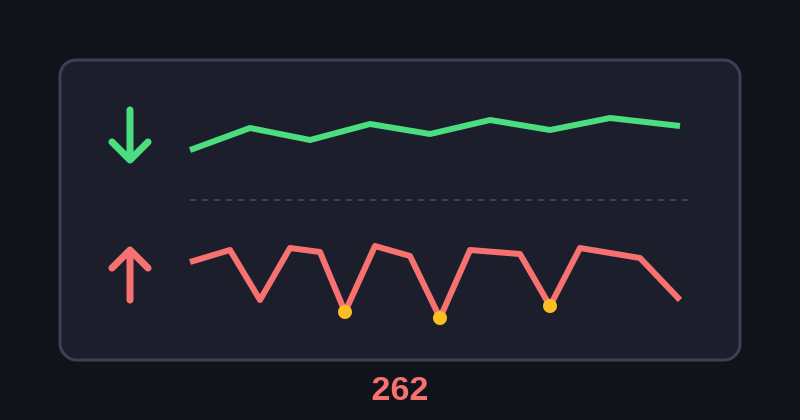
Your plan usually advertises download speed. Roblox needs little of that, but it constantly sends your movements, shots and actions to the server: that's upload. If upload is saturated or drops for a moment, the server stops hearing from you and you get 262 (if download drops, you usually get error 277).
Measure your upload in 1 minute
- Close Roblox and open a speed test that shows upload, ping and jitter (Cloudflare's or Speedtest, for example).
- Check three numbers:
| Figure | Good | Problem |
|---|---|---|
| Upload | Over 3 Mbps | Under 1 Mbps, or very different each test |
| Jitter (ping variation) | Under 20 ms | Over 50 ms: unstable Wi-Fi |
| Packet loss | 0% | Anything above 1% |
If all three look good and it still happens, go to "If only one experience fails".
What saturates upload at home
- Automatic cloud backups: Google Photos, iCloud, OneDrive or Dropbox uploading phone videos. Pause sync while you play.
- Livestreams and video calls: someone at home on Twitch, Discord with camera or a work meeting.
- P2P downloads or torrents: they upload constantly too.
- Consoles updating and uploading captures automatically.
Stabilise the connection
- Cable beats Wi-Fi. If you can't, use the 5 GHz band near the router or a mesh extender.
- Restart the router (30 seconds unplugged).
- Turn off VPN or proxy. They add an extra hop and many throttle upload.
- Firewall: Windows Security → Firewall & network protection → Allow an app → Roblox on private and public networks.
- Reset Windows networking if nothing changes: in Command Prompt as admin,
netsh winsock resetandipconfig /flushdns, then restart.
If only one experience fails
Some experiences send a lot of data (maps with hundreds of objects, building games, full servers). Try a server with fewer players from the Servers tab. If other experiences work, the problem is that game: you can tell its creator from the experience page.
Last resort: reinstall Roblox
Uninstall it, delete the %localappdata%\Roblox folder and reinstall from roblox.com. It only helps if the app itself was the problem, not the network.
Frequently asked questions
Is error 262 a ban?
No. Moderation actions show a message with a reason. 262 is a data-sending problem.
What's the difference between 262 and 277?
Both are disconnections. 262 is usually tied to not being able to send data (upload); 277 to no longer receiving it. The network fixes are similar, but for 262 look mainly at what's using your upload.
Do I lose Robux or items?
No. Robux and catalog items are on your account. At most you lose game progress since the last save.
If your speed test shows packet loss and you don't know where it comes from, send us the results via the contact page.
Still not fixed?
Email us at glitchfixesp@gmail.com with your device model, the exact error message and what you have already tried from this guide. We reply personally (in English or Spanish) and, if the issue keeps coming up, we add the new fix to the guide.