Roblox Error 277: where the drop is and how to fix it
Roblox error 277 kicks you out with "Lost connection to the game server". A 3-question test to find where the drop is (your network, one experience or Roblox's servers) and the fix for each case, on PC, mobile and console.
Error 277 appears when your device stops getting data from the server for a few seconds. If it happens in every experience, it's your network: restart the router, switch to Ethernet and turn off your VPN. If it happens in only one, it's that server: join another. If it hits everyone at once, Roblox's servers are down and you have to wait.
What actually happens when 277 shows up
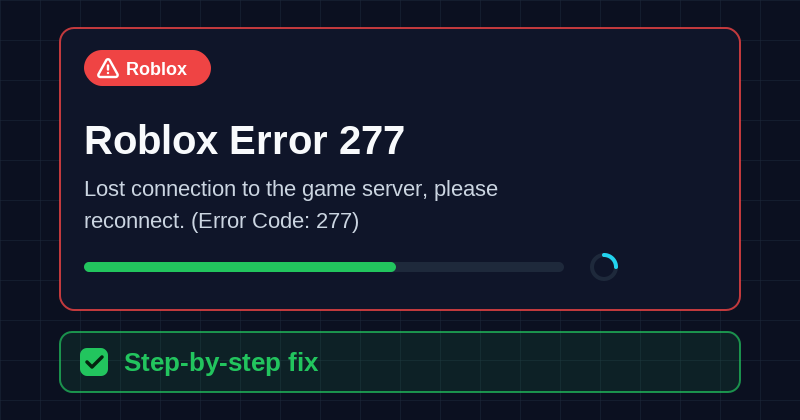
The game freezes (other players stop moving, you walk without getting anywhere) and a few seconds later you get the grey "Lost connection to the game server, please reconnect" box. During those seconds the server stopped receiving your packets and marked you as gone.
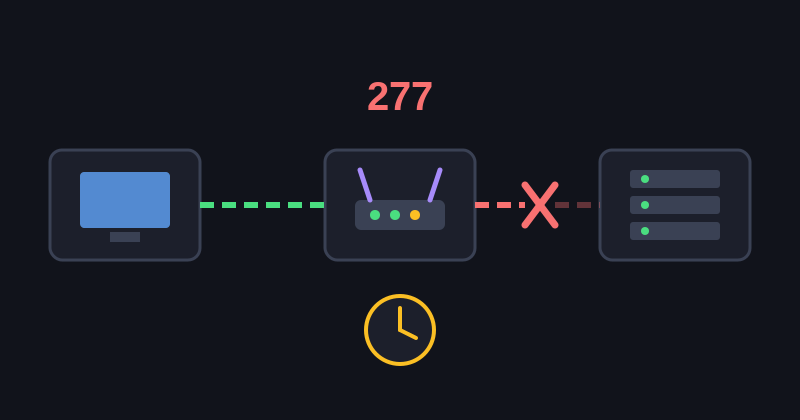
3-question test: where is the drop?
| Question | If the answer is YES | Go to |
|---|---|---|
| 1. Does it happen to your friends at the same time, in different places? | Roblox's or that experience's servers. | Case A |
| 2. Does it only happen in one experience (say, a huge map)? | That server is overloaded or the experience has a bug. | Case B |
| 3. Does it happen everywhere, especially when others at home are online? | Your Wi-Fi or router is dropping packets. | Case C |
If none fits (it happens everywhere but your network seems fine), skip to Case D: Roblox's files on your PC.
Case A: Roblox is down
Check the official Roblox status page (status.roblox.com). If there's an open incident, don't change anything on your PC: no fix will work until they resolve it. It usually lasts from minutes to a couple of hours.
Case B: only one experience fails
- Join a different server: on the experience page, open the Servers tab and pick one with fewer players.
- Lower graphics quality (Roblox menu → Settings → manual Graphics Quality). On huge maps, a modest PC takes so long to load that the server can drop you.
- If the experience was just updated, give it a few hours: developers sometimes push versions that kick people.
Case C: your network is dropping packets
- Restart the router: unplug it for 30 seconds.
- Plug the PC in with a cable or move closer to the router. Wi-Fi micro-drops go unnoticed while browsing but not in Roblox.
- Turn off VPNs and proxies. Many free VPNs drop the UDP traffic Roblox uses.
- Flush the DNS cache: open Command Prompt as administrator and type
ipconfig /flushdns. If some websites fail too, follow the DNS errors guide. - Allow Roblox through the firewall: Windows Security → Firewall & network protection → Allow an app → tick Roblox for private and public networks.
If Wi-Fi drops in other apps too, the problem is broader: see Wi-Fi connected but no internet.
Case D: damaged Roblox files
- Close Roblox completely (including the system tray).
- Press Windows + R, type
%localappdata%\Roblox\logsand delete everything inside. - Press Windows + R again, type
%temp%\Robloxand delete that folder if it exists. - If you use the Microsoft Store version, try the web version (from roblox.com) or the other way round: sometimes one works and the other doesn't.
The old "Windows 8 compatibility mode" trick no longer helps with current Roblox versions and can cause other problems. Skip it.
On mobile, tablet and console
- Mobile: switch from Wi-Fi to mobile data for a short game. If data works, your Wi-Fi is the problem. Also turn off battery saver, which cuts background connections.
- School, library or work Wi-Fi: many of these networks block Roblox's ports. It isn't your device.
- Xbox or PlayStation: run the console's connection test and, if it shows packet loss, use a cable.
If you get 262 instead of 277, the fix is a bit different: see the Roblox error 262 guide.
Frequently asked questions
Is error 277 a ban?
No. Bans show a moderation message with a reason. 277 is just a lost connection.
Do I lose my progress?
It depends on the experience. Most save every few minutes, so you may lose whatever you did just before the drop.
Does reinstalling Roblox fix it?
Rarely. 277 is almost always network-related. Reinstalling only helps in Case D, and clearing the logs and temp folder is quicker.
If 277 shows up in every experience and you've already tried a cable, tell us about your connection and device on the contact page.
Still not fixed?
Email us at glitchfixesp@gmail.com with your device model, the exact error message and what you have already tried from this guide. We reply personally (in English or Spanish) and, if the issue keeps coming up, we add the new fix to the guide.