Minecraft "Exit Code: 0": the cause is in the log
Minecraft closes with "Exit Code: 0" or "The game crashed unexpectedly". How to open the log, which line to look for and which fix matches each one (mods, RAM, Java, graphics drivers), plus the Java-per-version table.
"Exit Code: 0" only says the game closed. The cause is in the log: open the .minecraft\logs folder, open latest.log and look for the last lines with ERROR or Exception. Most of the time it's an incompatible mod; after that, allocated RAM or the wrong Java version.
Step 1: open the log (2 minutes)
- Press Windows + R, type
%appdata%\.minecraftand press Enter. - If there's a crash-reports folder, open the newest file. If not, go into logs and open latest.log with Notepad.
- Go to the end and scroll up to the first line with ERROR, FATAL or Exception. That's your clue.
If you use CurseForge, Prism, Modrinth or another launcher, each instance has its own folder: right-click the instance → Open folder.
Step 2: find your line in this table
| What the log says | What it means | Fix |
|---|---|---|
requires, Missing or unsupported mandatory dependencies, Incompatible mods found | A mod needs another mod or a different version | Install the dependency it names, or the mod version for your Minecraft version |
Mixin apply failed or a mod name in the error | That mod clashes with another | Remove it and test; if the game starts, look for a newer version |
java.lang.OutOfMemoryError | Not enough RAM allocated | Raise the RAM (Step 3) |
UnsupportedClassVersionError, class file version | Java is too old | Use the Java version from the table in Step 4 |
GLFW error 65542, Pixel format not accelerated | Old graphics driver, or the game is on the integrated GPU | Update the driver and force the dedicated GPU |
| Nothing odd, and it closes when opening a world | Damaged world or settings | Try a new world; if it works, back up your world and delete options.txt |
If you suspect a mod and the log doesn't name it
Split in halves: move half the mods out of the mods folder and launch. If it works, the culprit is in the half you removed; if not, it's in the half you kept. Repeat with that half. With 100 mods you'll find it in about 7 tries.
Step 3: the right amount of RAM (not too little, not too much)
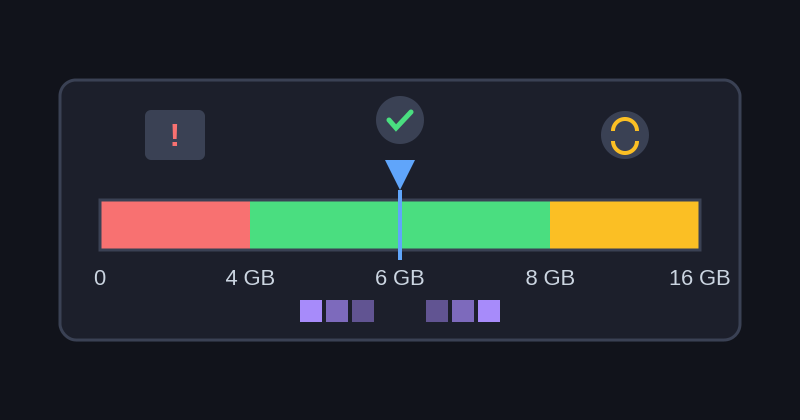
- Official launcher: Installations → your installation → More options → JVM arguments. Change
-Xmx2Gto-Xmx6G(6 GB). - CurseForge, Prism or Modrinth: the instance settings have a memory slider.
- Don't allocate more than half your PC's RAM. With 8 GB in total, give Minecraft 4 GB and close your browser. If system memory is already maxed out, see RAM at 100%.
Step 4: the right Java version
| Minecraft version | Java it needs |
|---|---|
| 1.16.5 and older | Java 8 |
| 1.17 | Java 16 |
| 1.18 to 1.20.4 | Java 17 |
| 1.20.5 and newer | Java 21 |
The official launcher ships its own Java, so there's nothing to change. Third-party launchers sometimes use the Java installed in Windows: in the instance settings, pick the version from the table.
Step 5: if the log mentions graphics
- Update the driver from the NVIDIA, AMD or Intel website (not through Windows Update).
- On laptops with two GPUs: Settings → System → Display → Graphics → add the launcher's
javaw.exeand choose High performance. - If you use shaders, remove them to test: they're the most common cause of crashes while loading a world.
Frequently asked questions
Doesn't "Exit Code: 0" mean everything went fine?
In programming, 0 means "normal exit", but Minecraft sometimes shows it even when the game closed because of a crash. That's why you need the log.
Vanilla Minecraft crashes too. What now?
Check Steps 4 and 5: Java and graphics driver. If nothing changes, create a new installation in the launcher to rule out broken settings.
Will I lose my worlds if I reinstall?
Worlds live in the saves folder. Copy it somewhere else before reinstalling and you won't lose anything.
If you can't make sense of the log, copy its last 20 lines and send them to us via the contact page.
Still not fixed?
Email us at glitchfixesp@gmail.com with your device model, the exact error message and what you have already tried from this guide. We reply personally (in English or Spanish) and, if the issue keeps coming up, we add the new fix to the guide.