PC shuts down or restarts while gaming: power supply, temperature or Windows
PC switches off suddenly or restarts when you launch a game? The type of shutdown and the Kernel-Power 41 event tell you whether it's the power supply, temperature or a Windows error. How to check and fix it.
If it switches off suddenly (like pulling the plug) when loading a game, it's almost always the power supply: use two separate PCIe cables for the graphics card and plug the PC straight into the wall. If it restarts by itself, turn off Windows automatic restart to see the blue screen behind it. If it happens after a while of gaming, check temperatures.
Does it shut down, restart or freeze?
First, watch closely how it cuts out. Each behaviour points to a different part:
| What it does | What it usually is | Go to |
|---|---|---|
| Switches off suddenly when opening or loading a game, and you must press the button to turn it on | Power supply protection (can't handle the graphics card's spikes) | "The power supply" |
| Switches off after a while of gaming, with fans at full speed | Temperature | "Temperatures" |
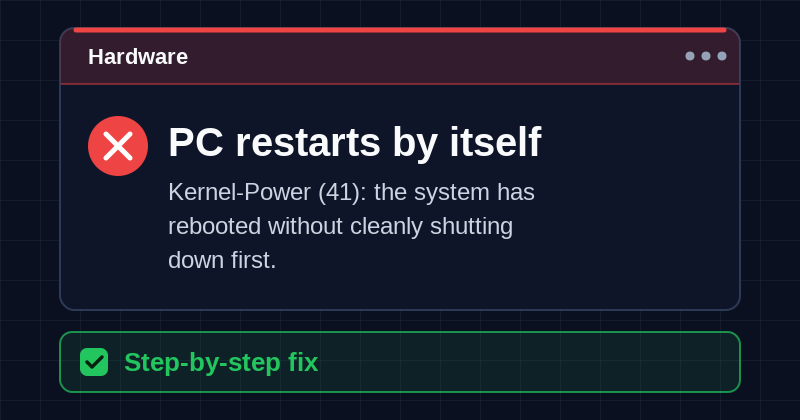
| Restarts by itself and boots again | A blue screen you don't see, RAM or an overclock | "If it restarts: see the error" |
| The picture freezes and you must restart by hand | Graphics driver, the graphics card or RAM | Guide to games crashing or freezing |
The Windows log tells you what it was
Windows records every shutdown. This tells you whether it was a power cut or a system error:
- Type Event Viewer in the Start menu and open it.
- Go to Windows Logs → System and click Filter Current Log. In "Event IDs" type 41.
- Open the Kernel-Power 41 event matching the time of the shutdown and look at the Details tab.
- BugcheckCode = 0: power was cut suddenly. It's the PSU, temperature, a cable or the power strip.
- BugcheckCode not 0: there was a blue screen. That number is the error code; look it up in our blue screen guides.
The power supply
Modern graphics cards have very short power spikes, lasting milliseconds, that can exceed their normal draw. A PSU with barely enough watts or poor quality detects the spike and cuts power to protect itself. That's why the PC switches off right as the game loads, not before.
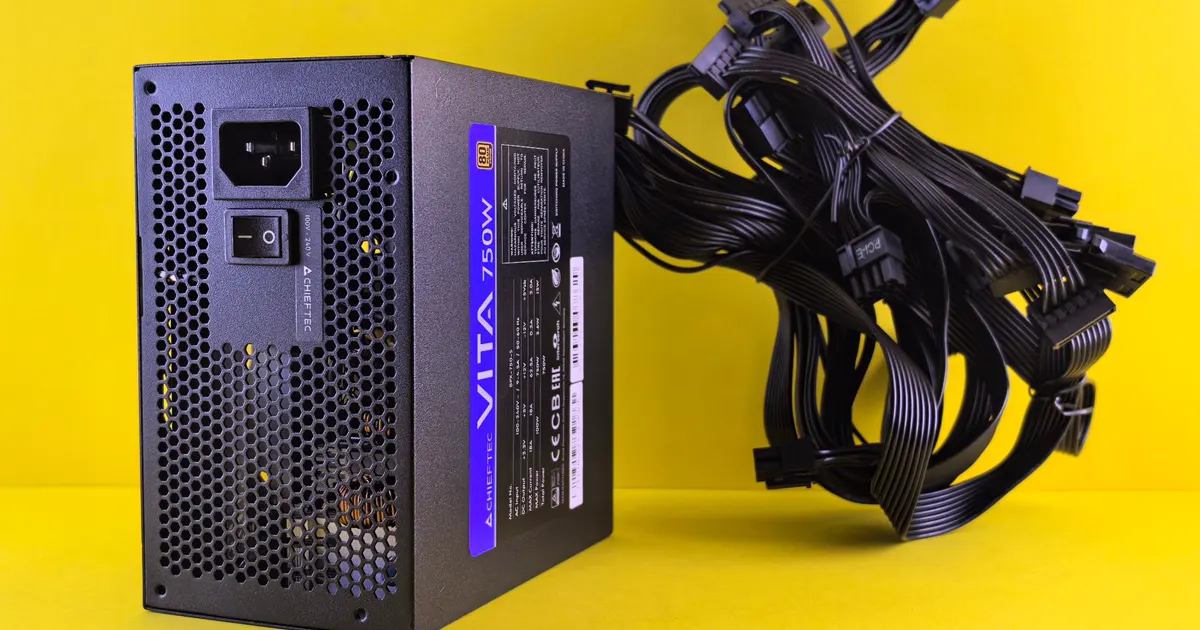
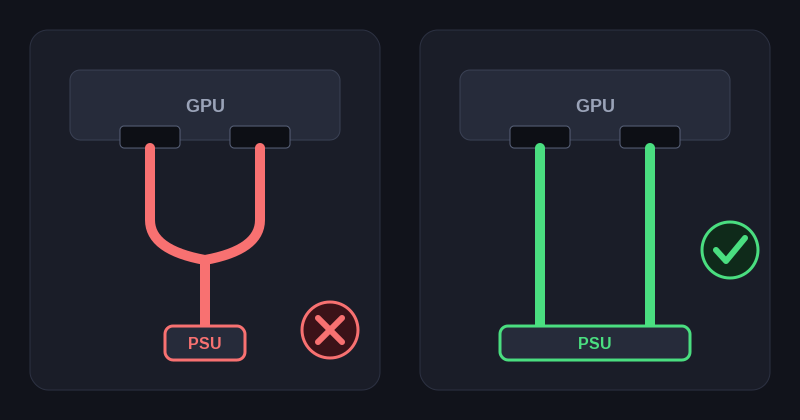
- Graphics card cables: if your card has two 8-pin connectors, use two separate cables from the PSU, not a single cable with two connectors hanging off it (called "pigtail" or daisy-chain). One cable can fall short during spikes.
- Straight to the wall: remove cheap power strips and extension leads while testing.
- Do you have enough power? Add up the graphics card and processor draw (from the maker's website) plus about 100 W for the rest, then add 30% headroom. If your PSU doesn't reach that, there's your problem.
- Free test: in MSI Afterburner or your graphics software, lower the "Power Limit" to 70–80%. If it stops shutting down, the PSU is falling short.
Generic PSUs that came "free" with the case, without 80 Plus certification, are the most common cause of this problem. If you replace it, choose a well-known brand with full protections.
Temperatures
If it doesn't shut down when loading but after a while, look at heat. When the processor or graphics card reaches its limit, the PC turns off to avoid damage:
- Install HWiNFO (free) and open it in "Sensors" mode.
- Play for 10 minutes with it open, then check the Maximum column.
- As a guide: over 95 °C on the processor or over 90 °C on the graphics card (over 105 °C on the "Hot Spot") is too much.
- If you're over: clean the dust from fans and filters, check all fans spin and that the CPU cooler is firmly attached. If the PC is several years old, the thermal paste may have dried out.
If it restarts: see the error
Windows is set to restart automatically after a blue screen, so you may never see it. Turn that off so you can read the code:
- Type View advanced system settings in the Start menu.
- Under "Startup and Recovery", click Settings.
- Untick Automatically restart and click OK.
Next time, the PC will stay on the blue screen with the error code. Also, if you enabled an XMP/EXPO profile or an overclock, turn it off in the BIOS to rule it out.
Frequently asked questions
Could it be the power strip or the socket?
Yes. Cheap or overloaded power strips and sockets with poor contact cause cut-outs. Try the PC plugged straight into the wall.
Can a bad PSU damage other parts?
A poor-quality PSU that fails can damage other components. If you suspect it, replace it with a well-known brand with 80 Plus certification.
Why does it only happen with some games?
Because demanding games push the graphics card harder and cause higher power spikes. A light game may never reach the PSU's limit.
If you're not sure how to read the Kernel-Power 41 event or your temperatures, send us a screenshot via the contact page.
Still not fixed?
Email us at glitchfixesp@gmail.com with your device model, the exact error message and what you have already tried from this guide. We reply personally (in English or Spanish) and, if the issue keeps coming up, we add the new fix to the guide.