Low FPS and stuttering on PC: find the bottleneck and fix it
Is your PC stuttering or getting low FPS even though it's powerful? Use a performance overlay to see whether the CPU, GPU, RAM or drive is the limit, then apply the settings that fix each case: power plan, XMP/EXPO, overlays, shader cache and drivers.
Watch GPU usage while playing (MSI Afterburner or the NVIDIA/AMD overlay). If it's at 95-99%, the GPU is the limit: lower resolution or quality. If it's well below, the CPU or RAM is the limit: enable XMP/EXPO, close background programs and lower CPU-heavy settings (view distance, crowds). If average FPS is high but there's stutter, check the shader cache, the drive and overlays.
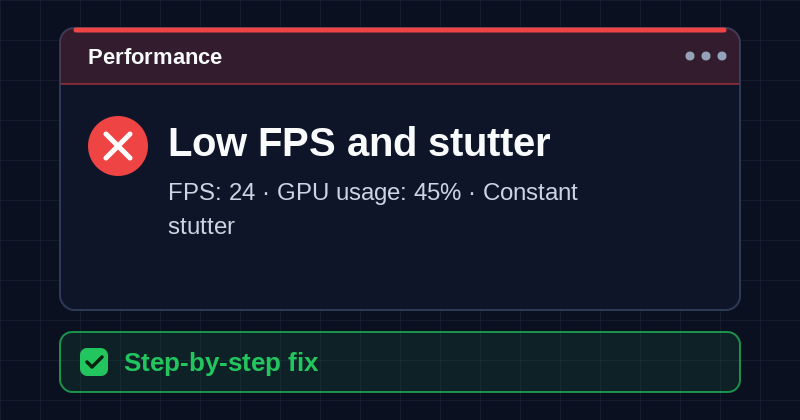
First: low FPS or stutter?
They're two different problems:
- Low FPS: the game is consistently slow (say 40 FPS all the time).
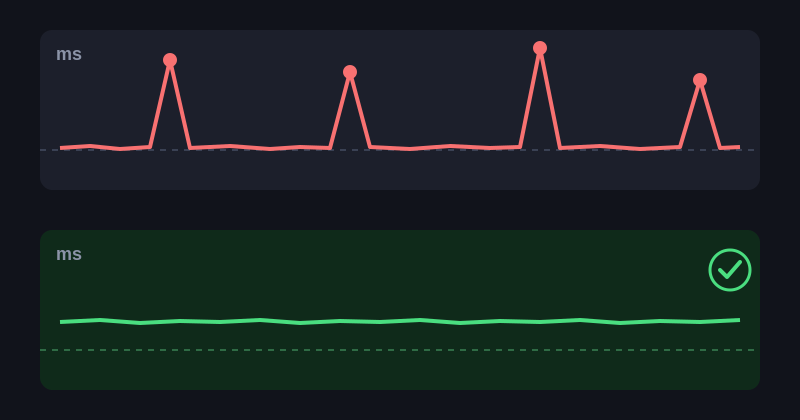
- Stuttering: the average is fine, but every few seconds there's a hitch. It shows in the frametime: how long each frame takes.
Measure before changing anything
- Install MSI Afterburner (includes RivaTuner) or use your GPU's overlay: NVIDIA App (Alt + R) or AMD Adrenalin (Ctrl + Shift + O).
- Show: FPS, frametime, GPU usage, CPU usage and RAM used.
- Play for 5 minutes in the area where it runs worst.
| What you see | What's limiting | What to do |
|---|---|---|
| GPU at 95-99% | The graphics card (normal in demanding games) | Lower resolution, shadows, effects or enable DLSS/FSR/XeSS |
| GPU at 50-80% with low FPS | CPU or RAM | "If the CPU or RAM is the limit" |
| High average FPS but frametime spikes | Shaders, drive, background processes | "If it stutters with high FPS" |
| Fine at first, worse after 10-20 minutes | Temperature | Check CPU and GPU temperatures |
If the CPU or RAM is the limit
- Enable XMP/EXPO: in the BIOS, turn on the RAM's XMP (Intel) or EXPO/DOCP (AMD) profile. Without it, 6000 MHz memory runs at 4800 or less, and on Ryzen that's very noticeable.
- Two sticks beat one: 2 × 8 GB performs much better than 1 × 16 GB thanks to dual channel. Use the slots the manual says (usually 2 and 4).
- Power mode: Settings → System → Power & battery → Power mode: Best performance. On laptops, plugged in.
- Close background stuff: browsers with lots of tabs, RGB software, launcher updaters.
- CPU-heavy settings: view distance, crowd or traffic density, physics and simulation quality.
If it stutters with high FPS
- Shader cache: the first time you play after installing a game or updating the driver, it compiles shaders and stutters. It usually improves after a match or two. Don't keep clearing the shader cache.
- Game on a mechanical hard drive: open worlds stutter when loading areas. Move it to an SSD.
- Overlays and recording: turn off Xbox Game Bar background recording (Settings → Gaming → Captures) and overlays you don't use (Discord, Steam, NVIDIA).
- Cap your FPS: a stable cap just below your monitor (e.g. 141 on 144 Hz) smooths frametime more than running uncapped.
- Clean driver: if stutter started after a driver update, try the previous version.
Frequently asked questions
Is it bad for the GPU to be at 99%?
No. It means the card is giving everything it has, which is what you want in a demanding game. What's odd is low usage with low FPS.
Is enabling XMP safe?
Yes. It's the speed profile the RAM maker has tested. If the PC becomes unstable, turn it off or pick a slightly lower speed.
Does Windows Game Mode help?
A little, by prioritising the game and holding back Windows Update while you play. Leave it on, but don't expect miracles: it won't fix a bottleneck.
If you're not sure how to read your numbers, send us an MSI Afterburner screenshot taken while playing via the contact page.
Still not fixed?
Email us at glitchfixesp@gmail.com with your device model, the exact error message and what you have already tried from this guide. We reply personally (in English or Spanish) and, if the issue keeps coming up, we add the new fix to the guide.