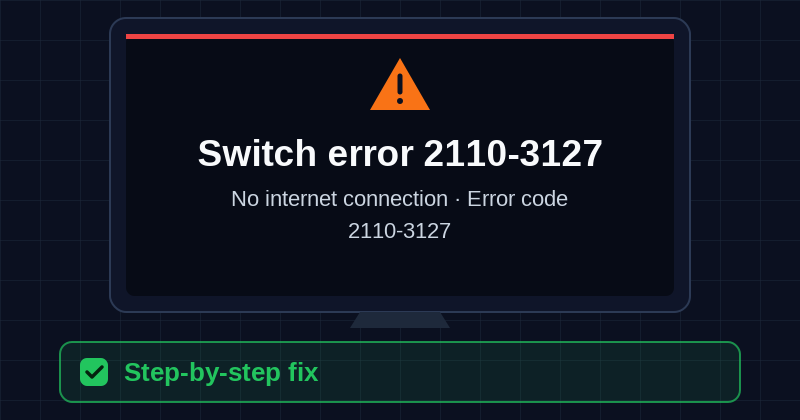
Switch error 2110-3127: fix the DNS
Error 2110-3127 appears in the Nintendo Switch connection test, and Nintendo links it to DNS. What DNS is in plain words, how to set it to automatic or enter a manual one on the Switch, and what to do if the problem is the Wi-Fi or router.
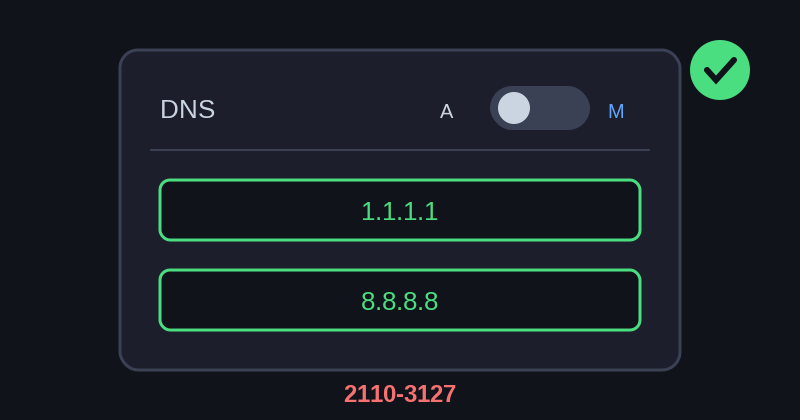
Restart the Switch and the router. Then go to System Settings → Internet → Internet Settings, pick your network → Change Settings → DNS Settings. If it's on Manual, set it to Automatic. If it was already Automatic, set Manual with Primary DNS 1.1.1.1 and Secondary 8.8.8.8. Save and run the connection test.
What DNS is (in one sentence)
DNS is the "address book" that turns names like nintendo.com into the server's numeric address. If your router's address book fails or is slow, the Switch has internet but doesn't know where to call, and the connection test ends with 2110-3127.
Step 1: restart both
- Turn the Switch fully off (power button 3 s → Power Options → Turn Off).
- Unplug the router for 30 seconds and plug it back in. Wait for all the lights.
- Turn the Switch on and test: System Settings → Internet → Test Connection.
Step 2: DNS on the Switch
- System Settings → Internet → Internet Settings.
- Pick your saved network → Change Settings.
- Scroll to DNS Settings:
- If it says Manual with old numbers, change it to Automatic.
- If it was already Automatic, change it to Manual and enter 1.1.1.1 (primary) and 8.8.8.8 (secondary).
- Select Save and run the connection test.
On the Switch each number is entered in groups of three digits: 1.1.1.1 shows as 001.001.001.001. It's the same thing.
Step 3: if DNS doesn't fix it, it's the network
| What you see | Likely cause | What to do |
|---|---|---|
| Works near the router, fails in your room | Weak signal | Move closer, use 5 GHz or an extender; in the dock, a wired LAN adapter |
| Fails on your Wi-Fi, works on your phone's hotspot | The router | Update the router firmware and turn off "parental control" or content filters |
| Fails on any network | The console | Update the system; if you can't, try another network and contact Nintendo |
| Hotel, school or work Wi-Fi | Network with a login page or blocks | Accept the login page or use another network |
If game downloads cut out halfway, see 2123-1502. For online play with friends, also check your NAT.
Frequently asked questions
Are 1.1.1.1 and 8.8.8.8 safe?
Yes. They're Cloudflare's and Google's public DNS, widely used and free. To go back, set the option to Automatic.
Does it affect the Switch 2?
Same code, same fix. Menu names may differ slightly, but the DNS option is in your network's Internet settings.
Could Nintendo be down?
It could, though 2110-3127 is usually local. If lots of people get it at once, check Nintendo's network status page and wait.
If the connection test shows another code, send it to us via the contact page.
Still not fixed?
Email us at glitchfixesp@gmail.com with your device model, the exact error message and what you have already tried from this guide. We reply personally (in English or Spanish) and, if the issue keeps coming up, we add the new fix to the guide.