Xbox controller disconnecting or flashing: read the light and fix it
Xbox controller flashing, disconnecting mid-game or won't pair? What each flash of the Xbox button means and how to fix it: batteries, interference, re-pairing, firmware and cable.
Put in new batteries and move closer to the console. If it keeps flashing, pair it again: hold the controller's pair button (on top, next to the USB-C) for 3 seconds, then press the console's. If it disconnects mid-game, update the controller firmware with a USB cable.
Read the Xbox button light
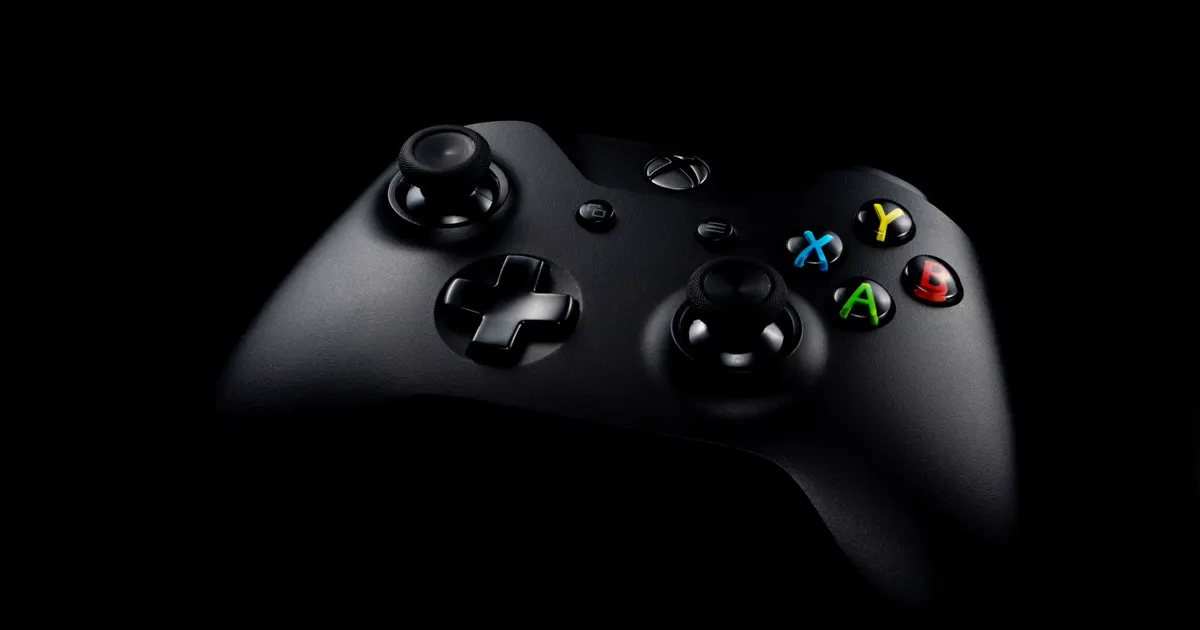
The Xbox button on the controller tells you exactly what's going on:
| Light | What it means | What to do |
|---|---|---|
| Solid | Connected | If it still drops, see "If it disconnects mid-game" |
| Slow flashing | Looking for the console it was paired with and can't find it | Move closer, turn the console on or pair again |
| Fast flashing | In pairing mode (waiting for the console) | Press the console's pair button |
| Flashes then turns off | Finds nothing or the batteries are flat | New batteries and pair again |
| Doesn't light up | Flat batteries or dirty contacts | New batteries or connect it with a cable |
Step 1: Batteries and interference
- New batteries. Nearly flat batteries drop voltage suddenly and the controller turns off even if the indicator shows charge left. Try two new alkaline AA batteries.
- Contacts. If the battery compartment has rust or dirt, clean it with a cotton bud and a little alcohol.
- Distance and obstacles. The controller uses the 2.4 GHz band, like many routers and headsets. Don't keep the console inside a closed cabinet, behind the TV or right next to the router.
- Other controllers. Turn off wireless controllers and headsets you're not using. Xbox supports up to 8 controllers at once.
Step 2: Pair the controller again
- Turn on the console.
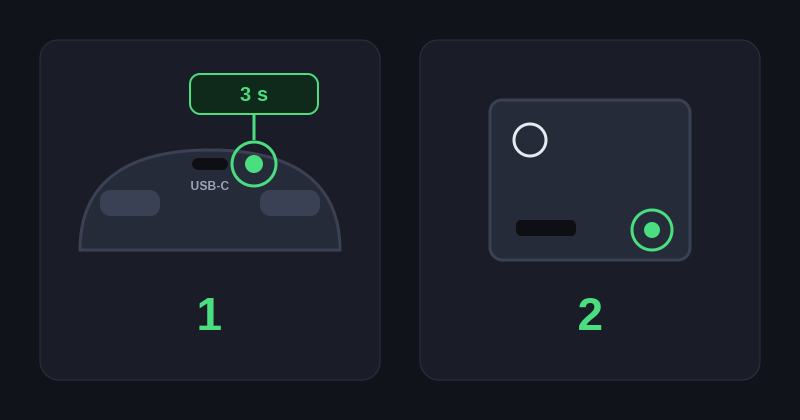
- Press the console's pair button (small button on the front, near the USB port). On the Series S it's left of the USB port; on the Series X, next to the front USB port.
- Within 20 seconds, hold the controller's pair button (on top, next to the USB-C) until the Xbox button flashes quickly.
- When it stays solid, it's paired.
The most reliable way is pairing with a cable: connect the controller to the console with a USB-C cable and it pairs automatically. Then you can unplug the cable.
Step 3: If it disconnects mid-game
If it pairs fine but drops while playing, it's almost always the firmware (the controller's internal software):
- Connect the controller to the console with a USB-C cable.
- Press the Xbox button → Profile & system → Settings → Devices & connections → Accessories.
- Choose your controller, press the three dots and open Firmware version.
- Press Update now and don't unplug the cable until it's done.
If it keeps dropping, turn the console off by holding the button for 10 seconds, unplug it for 2 minutes and pair the controller again.
Using the controller on PC
- Over Bluetooth, the controller connects better with the adapter nearby and the PC not inside a cabinet.
- To update the firmware on PC, install the Xbox Accessories app from the Microsoft Store and connect the controller with a cable.
- If it drops a lot on Bluetooth, the Xbox Wireless Adapter or a USB-C cable is more stable.
If it only works with a cable
If the controller works fine with a cable but never without it, the wireless module may be faulty. If it's under warranty, request a repair at support.xbox.com.
Frequently asked questions
Do rechargeable batteries work well?
Yes, but 1.2 V ones make the indicator show less battery than there really is and they die suddenly. The official battery pack or good rechargeable batteries work fine.
Why does it turn off when I leave it for a while?
It turns off after 15 minutes without use to save battery. That's normal. If it turns off while you play, check the batteries and contacts.
Can I pair one controller to two consoles?
It remembers one Xbox and one Bluetooth device (such as a PC). If you pair it to another Xbox, you'll need to pair it again to the first.
If the controller won't turn on at all, tell us the model and what the light does via the contact page.
Still not fixed?
Email us at glitchfixesp@gmail.com with your device model, the exact error message and what you have already tried from this guide. We reply personally (in English or Spanish) and, if the issue keeps coming up, we add the new fix to the guide.