DualSense not charging: how to tell if it's the cable, the PS5 or the controller
DualSense won't charge, the light doesn't come on or it only charges when you wiggle the cable? Try 3 chargers to find out if it's the cable, the console or the controller, then fix it: reset, ports, rest mode and battery.
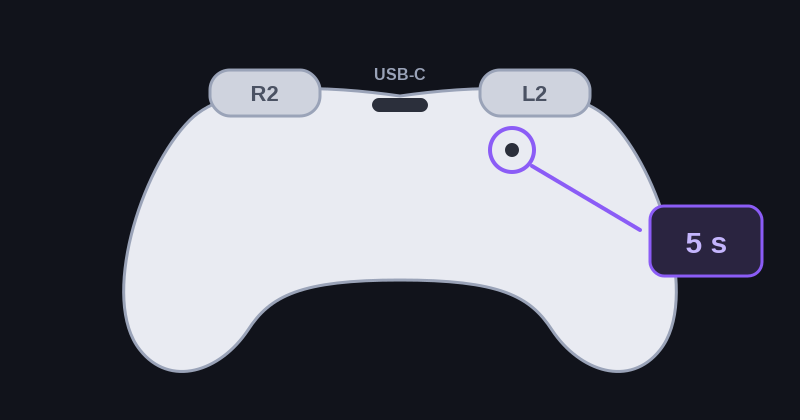
Try charging it with another USB-C cable in a back USB port of the PS5. If it doesn't charge, press the button inside the small hole on the back (next to L2) for 5 seconds with a paper clip and leave it plugged in for 30 minutes. If no cable or charger works, the problem is the controller's port or battery.
The 3-charger test
Before touching anything, do these three tests. In 5 minutes you'll know where the fault is:
- Test A: your usual cable, in a USB port on the back of the PS5, with the console on.
- Test B: another USB-C cable (for example from a recent phone) in the same port.
- Test C: that other cable in a normal phone wall charger.
| Result | What's failing | What to do |
|---|---|---|
| A fails, B works | The cable | Replace it. Many cheap cables only charge and don't carry data, so the PS5 doesn't recognise them |
| A and B fail, C works | The PS5 port or setting | Try the other back port and check rest mode charging (below) |
| Everything fails | The controller: frozen firmware, port or battery | Back button reset and, if not, check the controller's USB-C port |
| Only charges when you move the cable | Loose or dirty USB-C port on the controller | Clean the port or use a charging station |
How to tell it's charging
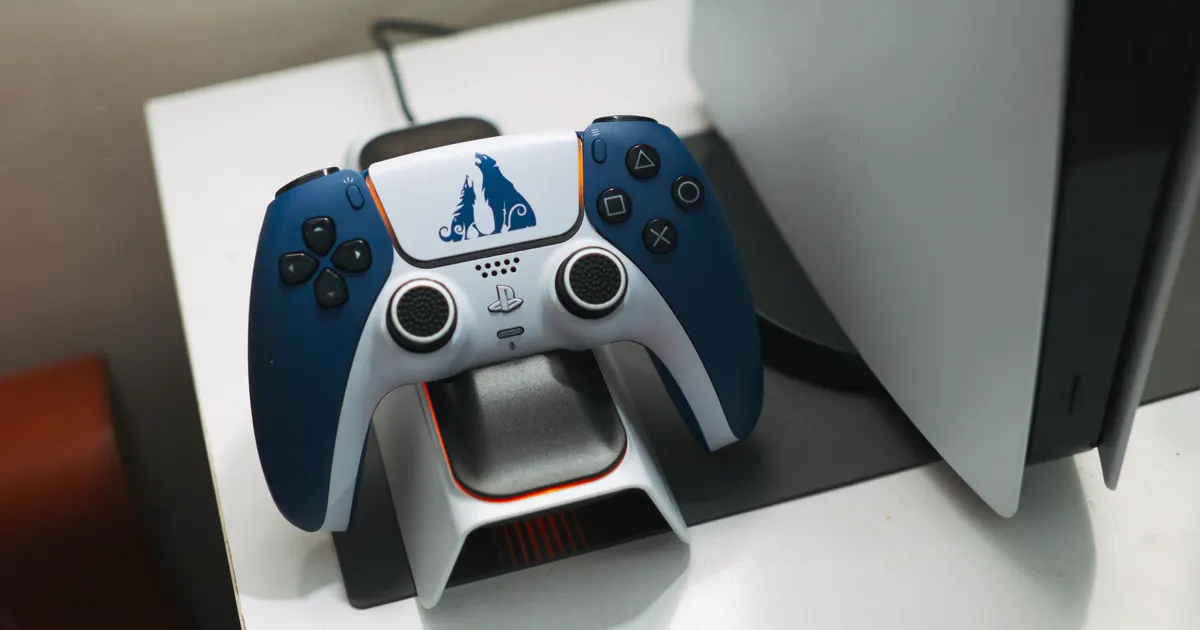
- PS5 in rest mode: the light bar pulses orange while charging and turns off when done.
- PS5 on: press the PS button and check the controller's battery icon in the control centre. A lightning bolt means it's charging.
- Wall charger: the light bar also pulses orange.
Reset the controller with the back button
If the controller's firmware has frozen, it won't accept a charge even with a good cable. The reset fixes it and doesn't delete anything on the console:
- Turn the PS5 off completely (not rest mode).
- Turn the controller over and find the small hole next to the L2 trigger.
- Insert a paper clip or SIM tool and hold the button inside for 5 seconds.
- Connect the controller to the PS5 with a working cable, turn the console on and press the PS button to pair it.
If the battery was completely flat, the controller may need 15–30 minutes plugged in before showing any sign of life. Leave it plugged in that long before giving up on it.
If it doesn't charge in rest mode
The PS5 can stop powering its USB ports in rest mode. To charge while it's off:
- Go to Settings → System → Power Saving → Features Available in Rest Mode.
- Under Supply Power to USB Ports, choose Always or 3 Hours.
If it only charges when you move the cable
The controller's USB-C port collects lint over time and the cable stops making good contact:
- With the controller off, look inside the port with a torch. If there's lint, remove it carefully with a thin wooden toothpick, without levering. Never use metal objects.
- Finish with a puff of compressed air.
- If the port wobbles or is broken, the official charging station charges the controller through the bottom contacts, without using the USB-C port. It's a good fix while you get it repaired.
If it still won't charge
If no cable or charger works and the reset didn't help, the fault is physical: the battery or the port. If the controller is under warranty, use it: in the EU the shop must respond for at least 2 years; elsewhere, contact PlayStation support. Out of warranty, the DualSense battery can be replaced at a repair shop.
Frequently asked questions
Can I charge the controller with a phone charger?
Yes, with a normal, reliable USB-C charger. The controller only draws the power it needs. If it doesn't respond on a fast charger, try a simpler one.
How long does the DualSense battery last?
Between 4 and 12 hours depending on the game. Vibration and adaptive triggers use a lot: lower them in Settings → Accessories → Controllers to make it last longer.
Does the reset delete anything?
No. It only resets and unpairs the controller. Your saves and console settings stay the same; you just pair it again with the cable.
If your case doesn't fit the 3-charger test, tell us the result of each test via the contact page.
Still not fixed?
Email us at glitchfixesp@gmail.com with your device model, the exact error message and what you have already tried from this guide. We reply personally (in English or Spanish) and, if the issue keeps coming up, we add the new fix to the guide.